Reports owners actually open

The portal mirrors the register's close report line for line. Cash and card reconcile to the penny, and batches close themselves on store time.

Real screens, real numbers

The whole day on one screen

Net, gross and total sales, tax, tips and refunds for any date range — with the payment mix and the karaoke-vs-food split at a glance. What you see here is exactly what the register's close report says.
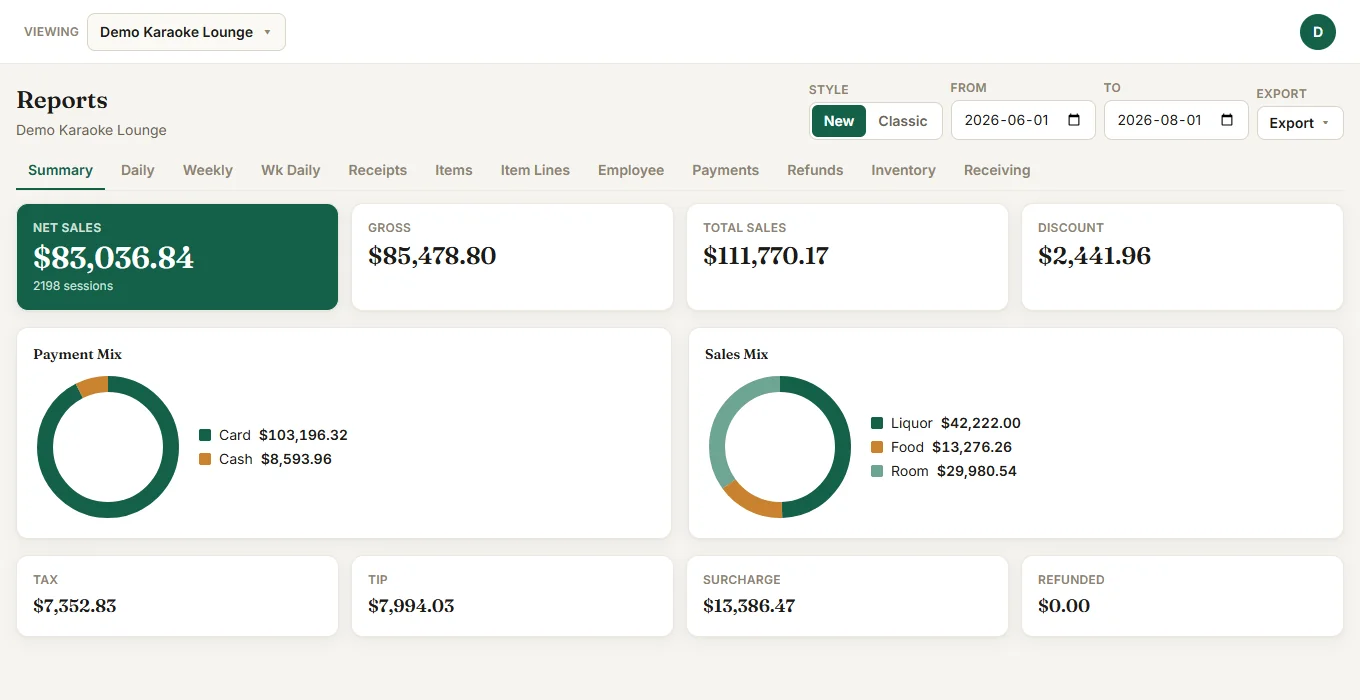
Owner portal summary report: net sales, payment mix and sales mix

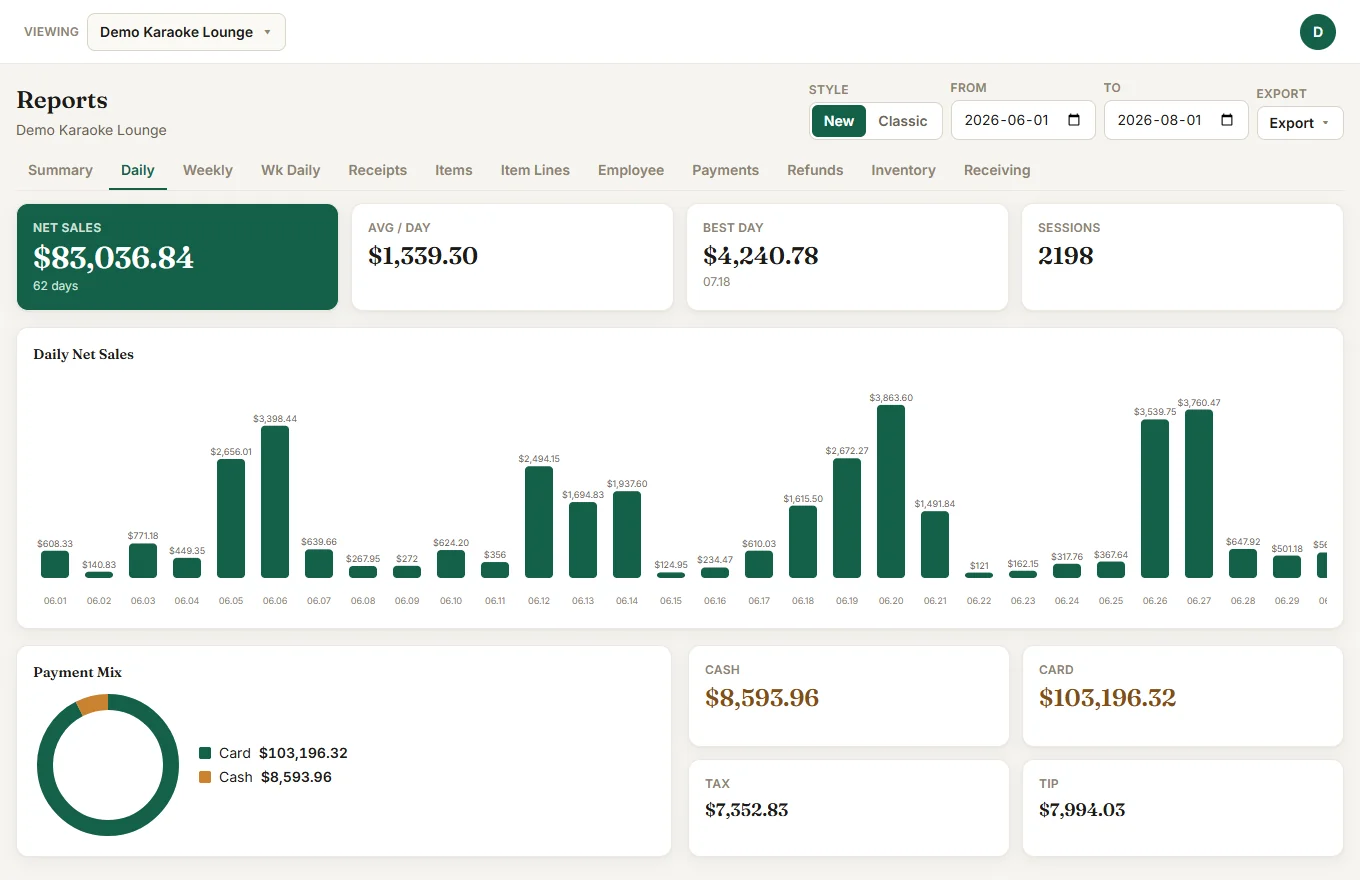
Every day, side by side

Daily net sales across the whole range, with average per day, your best day, and session counts. Slow Mondays and packed Saturdays stop being a feeling and become a number.

  • Day-by-day bars for any date range
  • Cash, card, tax and tip totals underneath
  • Batches close themselves on store time
Daily report with per-day net sales bars
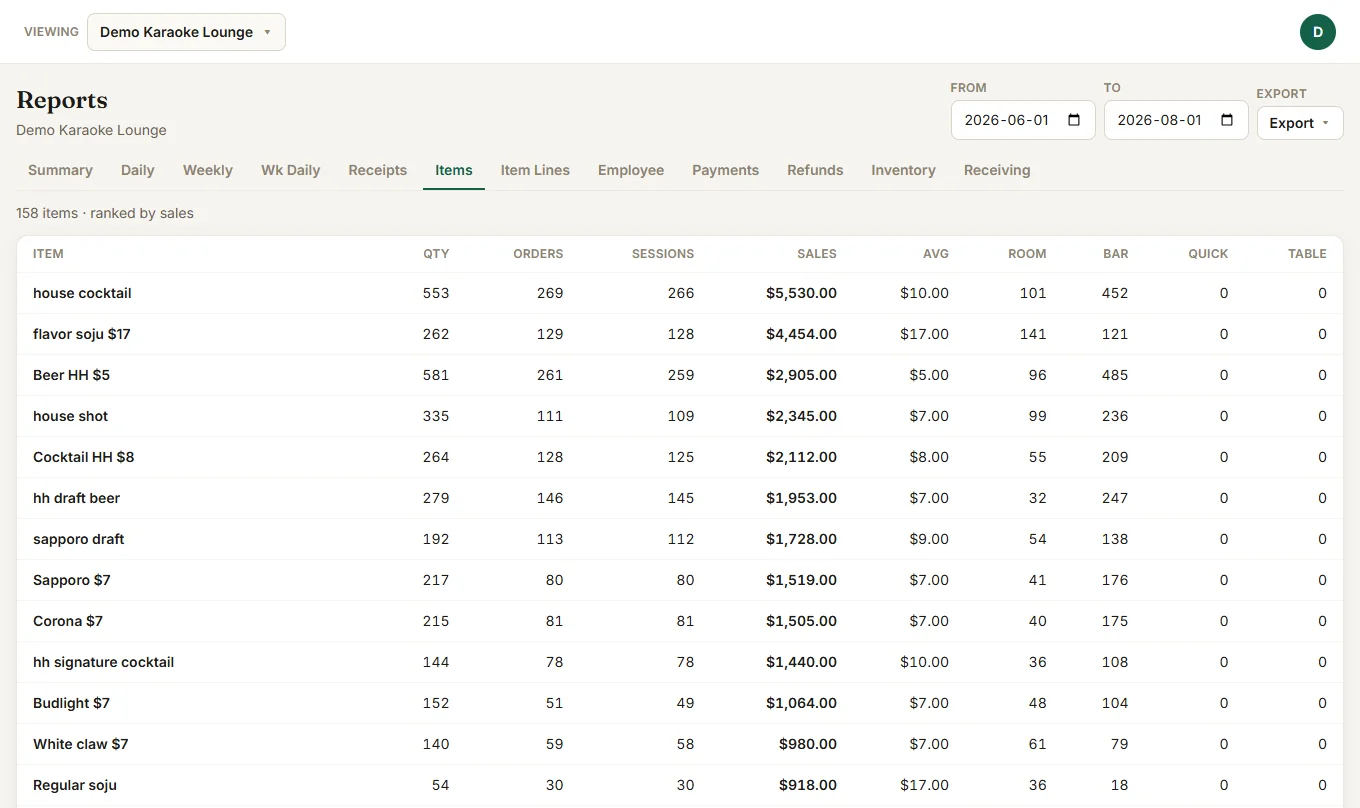
Item ranking report by sales

What actually sells

Every item ranked by sales, with quantity, order and session counts — split by where it sold: rooms, bar, quick serve or tables. Menu decisions come straight off this screen.

  • Ranked by sales, quantity or orders
  • Room / bar / quick / table breakdown per item
  • Item lines, receipts and refunds one tab away

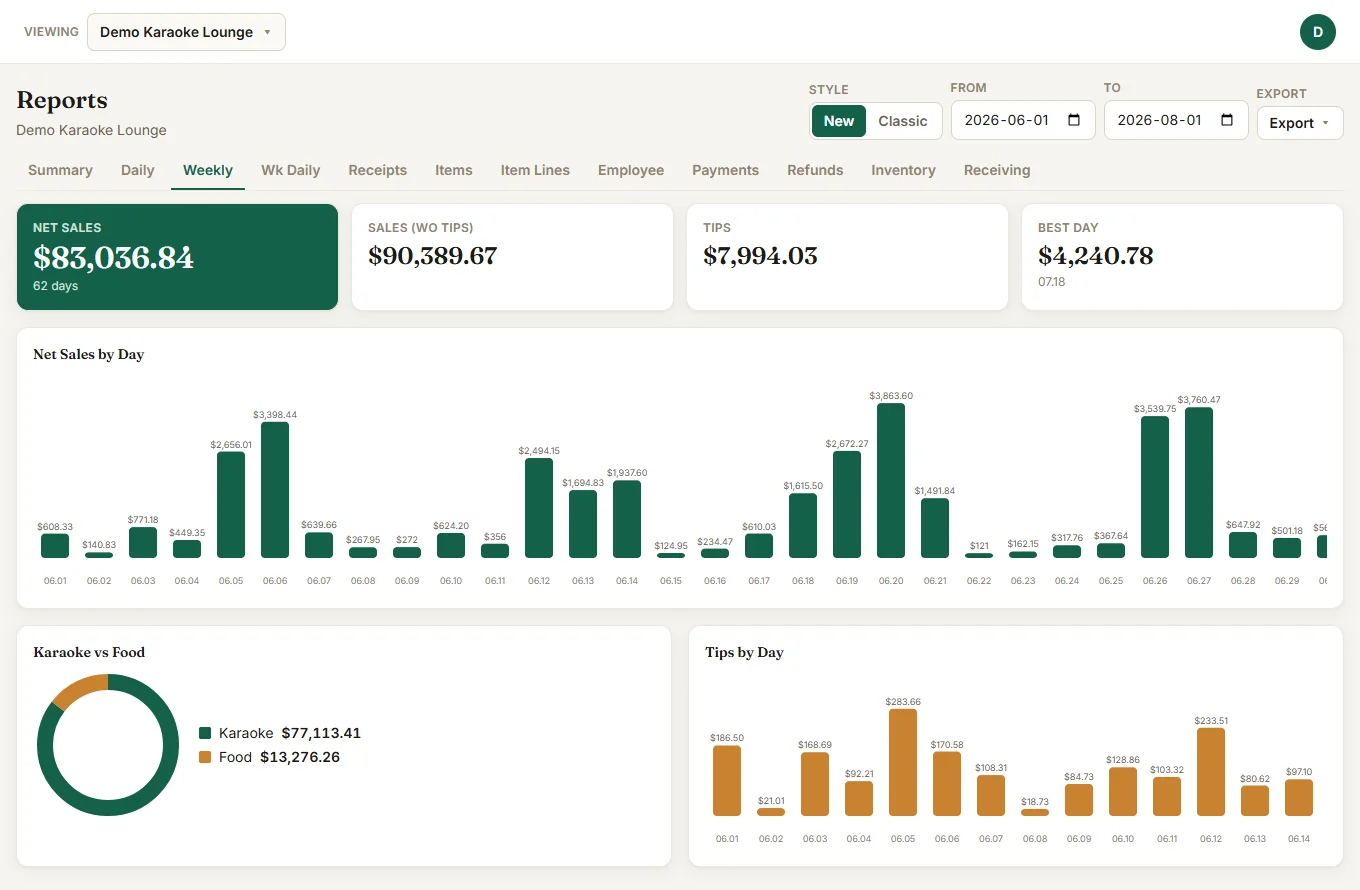
Weekly books, without the bookkeeping

The weekly view splits karaoke from food and tracks tips by day. Excel exports rebuild the same weekly and daily sheets your accountant already knows, cell for cell.

  • Karaoke vs food revenue split
  • Tips by day for payroll
  • Excel exports that match your old books
  • Owner, manager and viewer roles per store
Weekly report with karaoke vs food split and tips by day

See VenueTap POS in your venue

Open it in your browser right now, or install the Windows app and run it free in your store before deciding.